# Clash Verge

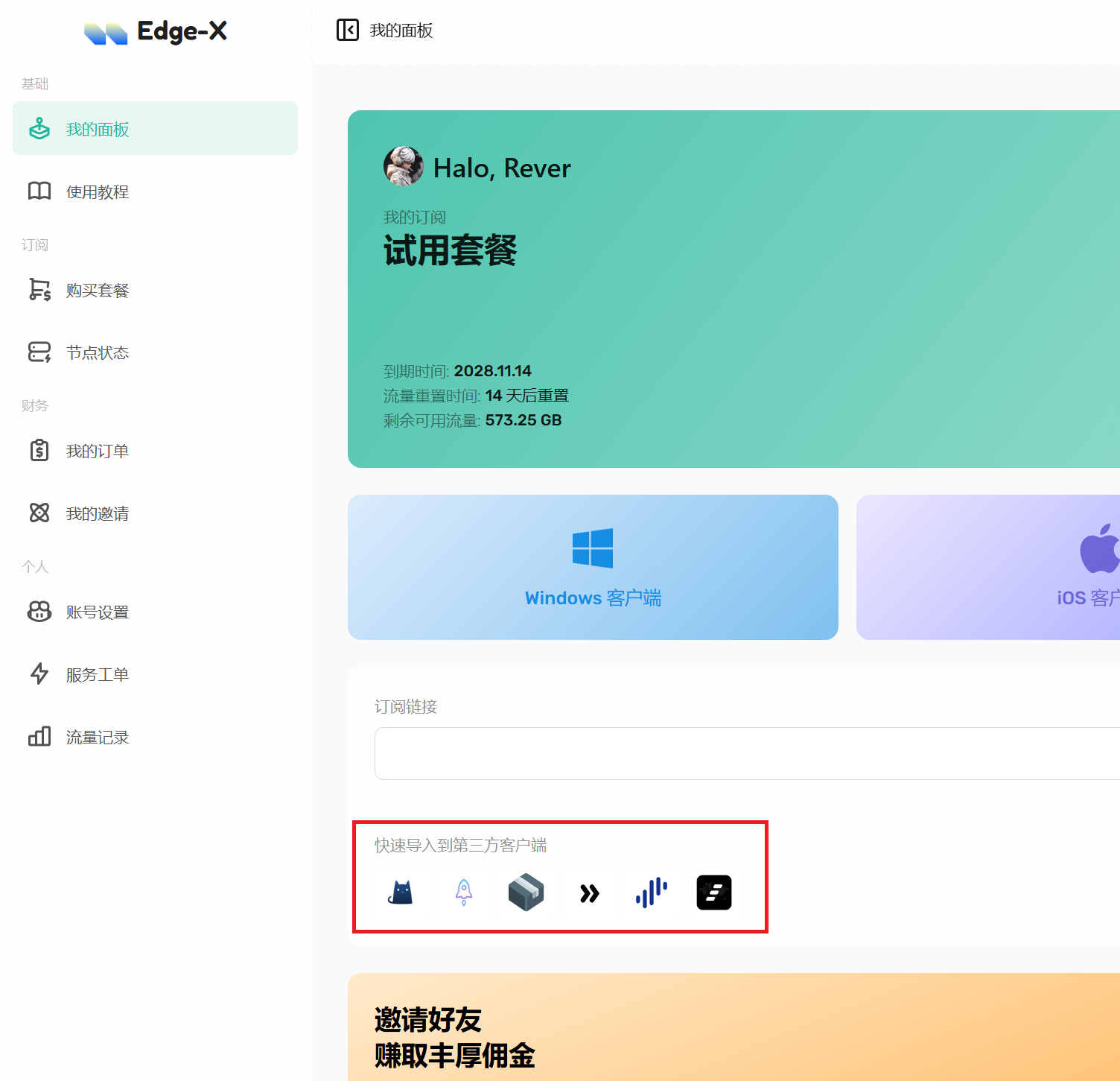
1. 访问Edge-X主页，在首页下方“快速导入到第三方客户端”选择Clash，系统将自动把订阅导入至客户端

<figure><img src="https://1716648721-files.gitbook.io/~/files/v0/b/gitbook-x-prod.appspot.com/o/spaces%2F5dk6F6pbrh5eWoyDpavt%2Fuploads%2F3pO5r52uqXt48GrAydAa%2F%E5%BF%AB%E9%80%9F%E5%AF%BC%E5%85%A5.png?alt=media&#x26;token=e9f23b8b-0ccf-4b5d-ae2b-d67653d7ac2e" alt=""><figcaption></figcaption></figure>

2. 浏览器可能会弹框提醒将打开第三方软件，请点击同意或允许
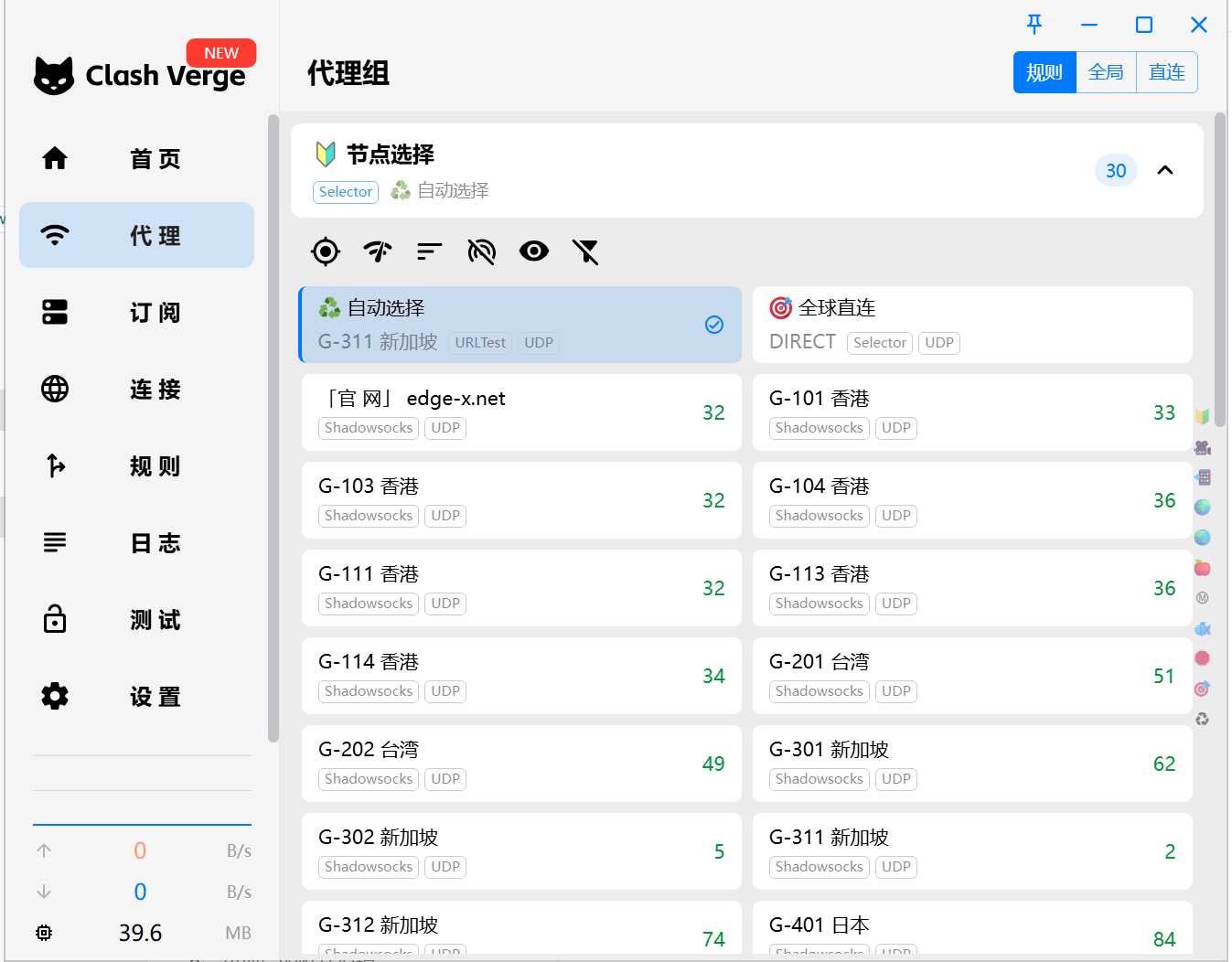
3. 进入“代理”模块，选择您想要连接的节点，右上角模式推荐选择“规则”，若选择全局则国内网站也会消耗流量，选择直连则所有流量均不通过代理

<figure><img src="https://1716648721-files.gitbook.io/~/files/v0/b/gitbook-x-prod.appspot.com/o/spaces%2F5dk6F6pbrh5eWoyDpavt%2Fuploads%2FZeJkEGC1SWmG11Rl7NI1%2Fimage.png?alt=media&#x26;token=8c4fe8e7-9af6-4985-a109-1768f076f20c" alt=""><figcaption></figcaption></figure>

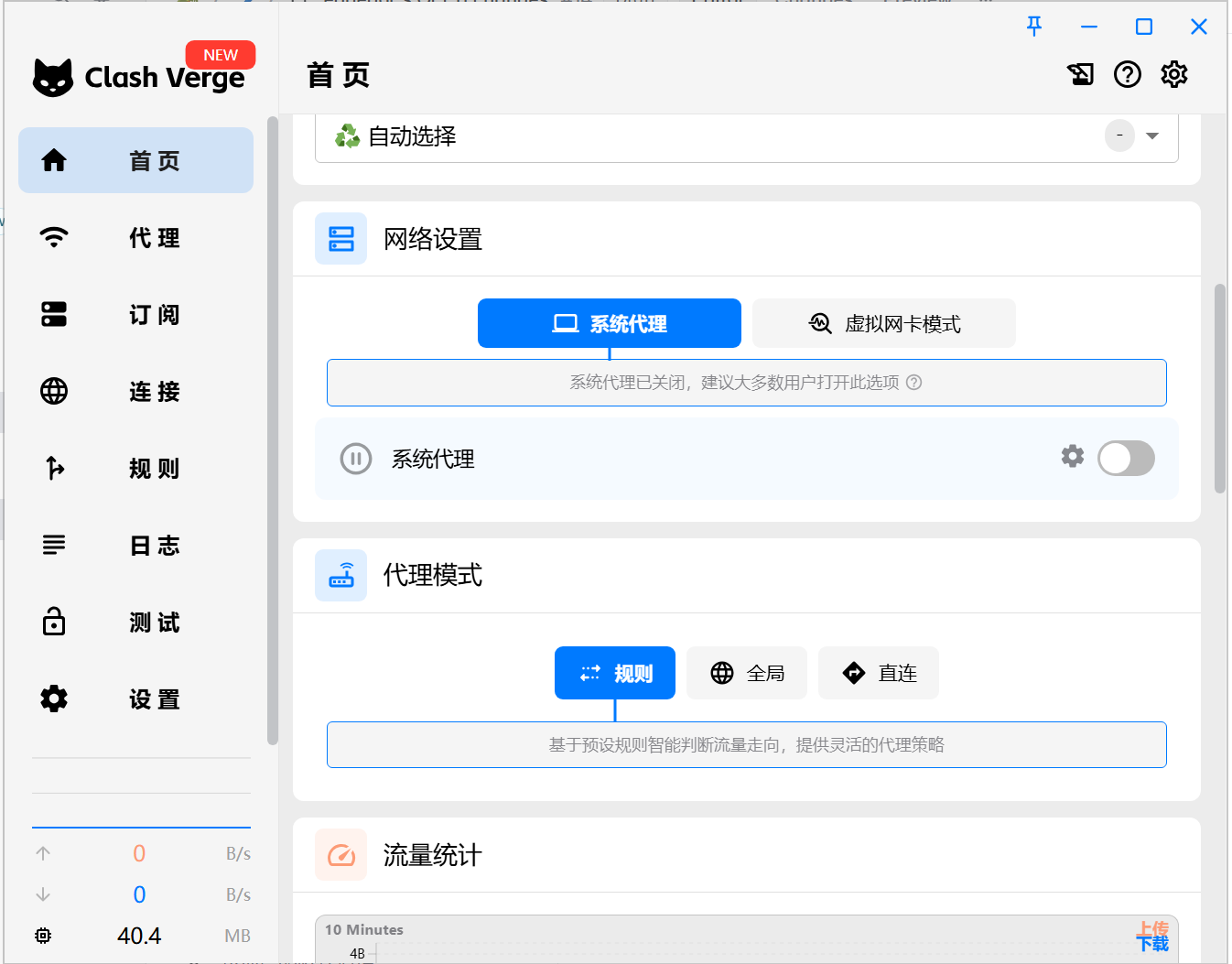
4. 进入“首页”模块，打开“系统代理”，软件即配置完成。需注意若软件意外关闭可能导致全局断网，此时需重启软件，或在Windows设置中关闭系统代理。

<figure><img src="https://1716648721-files.gitbook.io/~/files/v0/b/gitbook-x-prod.appspot.com/o/spaces%2F5dk6F6pbrh5eWoyDpavt%2Fuploads%2FLbAHVd6h6acJI5YwawgV%2Fimage.png?alt=media&#x26;token=89e485a5-0266-4436-b016-2c25c01f63fc" alt=""><figcaption></figcaption></figure>


---

# Agent Instructions: Querying This Documentation

If you need additional information that is not directly available in this page, you can query the documentation dynamically by asking a question.

Perform an HTTP GET request on the current page URL with the `ask` query parameter:

```
GET https://edge-x.gitbook.io/docs/tutorial/windows/clash-for-windows.md?ask=<question>
```

The question should be specific, self-contained, and written in natural language.
The response will contain a direct answer to the question and relevant excerpts and sources from the documentation.

Use this mechanism when the answer is not explicitly present in the current page, you need clarification or additional context, or you want to retrieve related documentation sections.